Introducing a new Notification Center
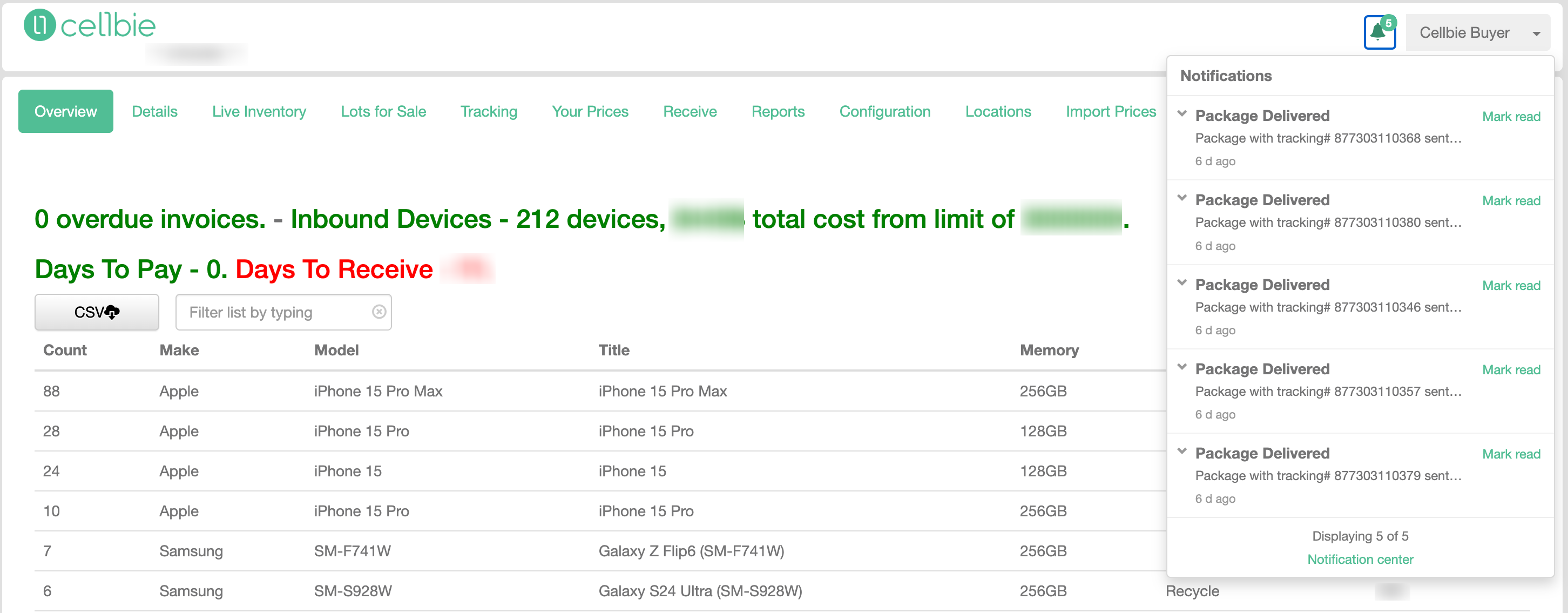
v1.5.24 | October 14th, 2026 — To enable buyers and sellers to sort their incoming messages and never miss a beat, Cellbie has introduced a new Notification Center to the platform. This update aims to eliminate the fear of missing out on critical updates. Released for both US and Canada markets.
In-App Notifications Preview
Transactional and behavioral notifications will now appear via the bell icon, similar to most digital platforms. Users can take a sneak peek at recent alerts or open the Notification Center to view them all in detail. Buyers and sellers can mark items as read or unread to prioritize their day-to-day activities.
IMPORTANT: Notifications are linked to an individual user account. Marking them as read on User Account A will not affect User Account B. Additionally, all email notifications remain untouched.
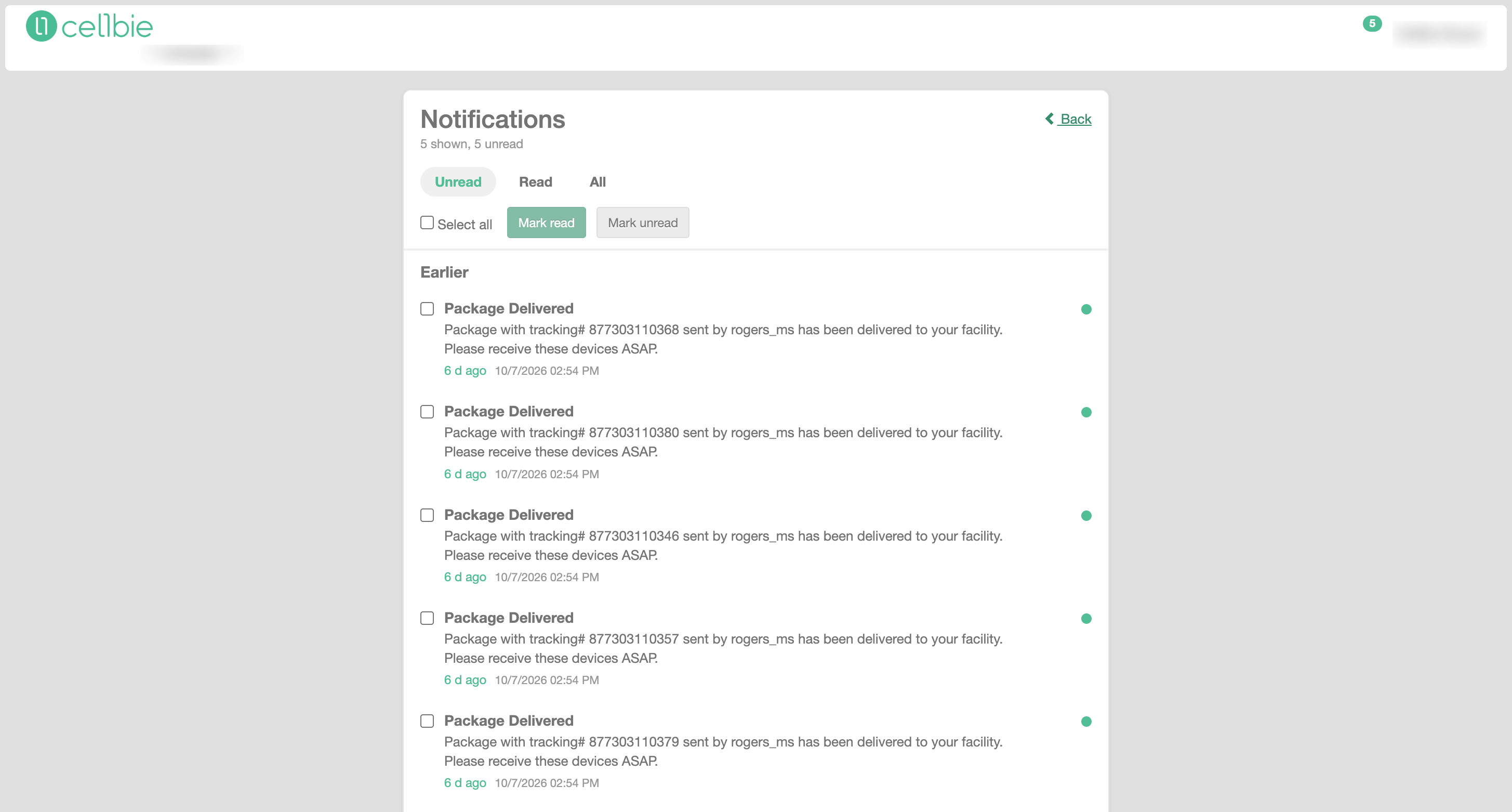
Notification Center
Clicking "Notification Center" allows users to access all notifications from the past 30 days and mark them as read or unread. This includes key transactional events such as delivered packages, accepted or rejected adjustment requests, and new orders to ship.
If you're experiencing any issue or require any type of support, contact us at support@cellbie.com